
Why Content Calendar Creation in California Feels Harder Than It Should Be
If you’ve been searching for guidance on content calendar creation in California, here’s the short answer:
How to create a content calendar (quick steps):
- Define your content pillars — pick 3-5 core themes that reflect your business goals
- Choose your format — Google Sheets, Notion, or a dedicated app like Asana or Trello
- Add essential columns only — Date, Channel, Format, Content Title, Status, and Owner
- Set a realistic cadence — plan the next two weeks in detail, the next four to six weeks at a high level
- Separate your calendar from your reporting — the calendar is for execution, not analytics
- Use AI tools to batch-generate ideas and captions, then delegate scheduling to an assistant or AI agent
Most business owners know they should be posting consistently. The real problem is not motivation — it’s the system, or rather the lack of one.
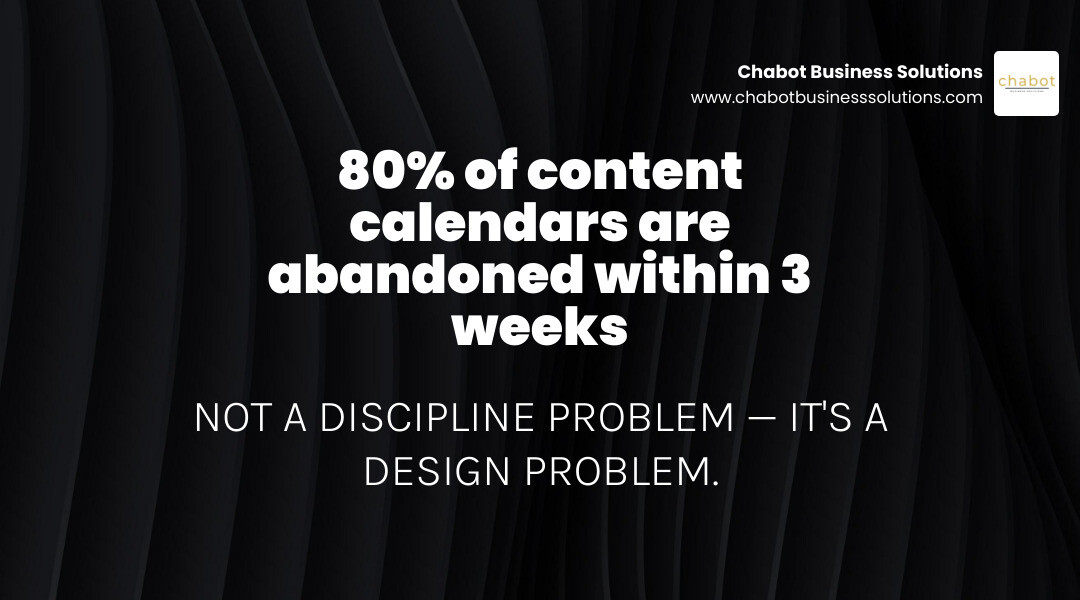
Here’s what usually happens: you build a content calendar with good intentions. It starts simple. Then someone adds a column for engagement metrics. Then a tab for campaign reporting. Then a column for follower growth. Before long, you have a 20-column spreadsheet that nobody updates — and it quietly gets abandoned by week three.
The calendar was supposed to make your life easier. Instead, it became just another thing to maintain.
This cycle is especially common among California small business owners juggling lean teams, local competition, and the pressure to stay visible across multiple platforms. And it is not a discipline problem. It is a design problem.
Most content calendars fail because they try to do too many jobs at once — production schedule, performance dashboard, stakeholder report, and strategic roadmap, all in one document.
I’m Alyx Lofton, founder of Chabot Business Solutions, and with over 20 years of hands-on experience in digital strategy and client growth, I’ve helped California business owners cut through exactly this kind of complexity to build content calendar creation in California systems that teams actually stick with. In this guide, I’ll walk you through everything you need to build a calendar that drives real consistency — without the chaos.
Why Most Content Calendars Fail: Execution vs. Strategy
When we sit down with business owners in San Leandro and the wider East Bay, we often see the same frustrating scenario. A team spends hours designing an elaborate, beautiful spreadsheet, only for it to sit gathering digital dust.
Operating your marketing without a documented plan is a lot like driving a car without a steering wheel. Yet, why do these steering wheels keep breaking?

The Primary Purpose of a Content Calendar
The primary purpose of a content calendar is execution. It is a tactical tool designed to answer very basic questions on any given Tuesday morning: What are we publishing today? Who is responsible for it? Is the graphic ready? Has the copy been approved?
A content calendar is not your strategy document, nor is it your performance report.
- The Strategy Document defines your target audience, brand voice, core messaging, and long-term business goals.
- The Content Calendar is the operational bridge that puts that strategy into action, row by row, day by day.
- The Reporting Document tracks your analytics, reach, conversions, and ROI after the content goes live.
When you try to merge all three into a single file, the system collapses under its own weight.
Common Pitfalls That Lead to Abandonment
The road to abandoned calendars is paved with over-complication. In our experience, calendars are abandoned for three major reasons:
- The “Scoreboard” Trap: Trying to track performance metrics (like likes, shares, and follower growth) directly inside your planning calendar. This turns a forward-looking execution tool into a discouraging backward-looking scoreboard that requires constant manual updates.
- The Multi-Tab Graveyard: Creating separate tabs for Instagram, LinkedIn, the company blog, and email newsletters. This is where content repurposing goes to die. If your team cannot see the cohesive storyline of your weekly marketing in one single view, they will duplicate work and lose track of the big picture.
- Over-Optimistic Cadences: Setting an ambitious posting schedule (like publishing daily Reels and three blog posts a week) during a high-energy planning session, only to burn out by week three.
According to industry data, 65% of the most successful digital B2B marketers have a documented content marketing strategy in place, compared to just 14% of the least successful. Furthermore, 62% of the most successful organizations have some sort of documented system, and 90% are actively measuring performance.
But measuring performance should happen in a dedicated reporting tool—not in your active planning calendar. If you want to avoid burnout and keep your team aligned, understanding Why Hiring A Social Media Marketing Agency Might Be Your Best Decision can help you transition from chaotic, manual tracking to structured, outsourced management.
The Anatomy of a High-Performing Content Calendar
To build a calendar your team will actually use, you must ruthlessly filter what gets included. A good rule of thumb: If you haven’t looked at a specific column in your content calendar for a month, delete it immediately.
| Essential Columns (Keep) | Columns to Skip (Exclude) |
|---|---|
| Date & Time (When it goes live) | Detailed Performance Metrics (Likes, reach, CTR) |
| Channel (Instagram, LinkedIn, Blog, Email) | Granular Budget & Spend (Keep this in finance/ads manager) |
| Format (Reel, Carousel, Long-form Blog, Newsletter) | Multiple Draft Iterations (Keep copy drafts in Google Docs/Notion) |
| Core Idea & Title (What the post is about) | Competitor Performance Tracking (Keep in a separate analysis doc) |
| Status (Idea, Drafted, Approved, Scheduled, Posted) | Every Single Hashtag Option (Use a separate asset library) |
| Owner (Who is responsible for publishing/creating) | In-Depth Brand Guidelines (Link to a master strategy document instead) |
| Tracked Link (UTM) (For measuring traffic accurately) |
If you are looking for a clean, ready-to-use starting point, you can download a pre-formatted Social Media Content Calendar Template to simplify your setup.
Essential Columns for Flawless Execution
To keep your team accountable without creating administrative fatigue, stick to these five essential columns:
- Date & Time: When the piece of content must go live.
- Channel & Format: Where the content is going (e.g., LinkedIn) and how it is packaged (e.g., Carousel). This helps you ensure you have a healthy mix of assets.
- Status: A clear, visual pipeline. We recommend keeping this simple: Idea to Drafted to Approved to Scheduled to Posted.
- Owner: Every row must have exactly one owner. As the saying goes, “A calendar without owners is a wishlist.” If no single person is assigned to a row, the content will not get made.
- Tracked Link: Include your pre-built UTM links at the planning stage. This makes it incredibly easy to copy and paste the correct link when scheduling, ensuring your website traffic is tracked accurately without duplicate work later.
What to Exclude to Prevent Over-Complication
To protect your focus, skip the metrics. Do not include columns for reach, clicks, or engagement rates. Your content calendar is a production line, not a dashboard.
Additionally, avoid pasting entire paragraphs of draft copy directly into your calendar cells if you are using a basic spreadsheet. Keep the spreadsheet clean and use a link column that points directly to a collaborative document (like Google Docs or a Notion page) where the actual writing happens.
Integrating Pillars and Audiences in Content Calendar Creation California
For businesses operating in highly competitive regions like the East Bay, your calendar must balance local relevance with structured themes. This is where content pillars come in.
Content pillars are 3 to 5 broad themes that represent your brand’s core expertise. To keep your calendar balanced, we recommend structuring your weekly content around a strategic mix:
- 30-40% Educational Content: Answering common customer questions, sharing industry insights, or providing quick tips.
- 20-30% Entertaining/Inspiring Content: Sharing relatable stories or behind-the-scenes glimpses of your San Leandro team.
- 15-20% Personal/Connection Content: Highlighting customer success stories or community involvement in California.
- 10-15% Engagement Content: Asking questions, running polls, or encouraging interaction.
- 10-15% Promotional Content: Directly showcasing your services, special offers, or driving conversions.
By tracking your pillars in a dedicated column, you can avoid a common pitfall: realizing at the end of the month that you posted ten promotional updates and only one helpful tip. If you are focusing on high-impact visual content, learning How To Craft A Winning Video Marketing Strategy For 2024 is a fantastic way to align your pillars with formats that modern algorithms favor.
Choosing Your Format for Content Calendar Creation California
There is no single “perfect” tool for content calendar planning. The right format is simply the one that integrates seamlessly into your team’s existing daily workflow.

Spreadsheets vs. Dedicated Apps vs. Traditional Calendars
Let’s break down the most common formats used by California businesses:
- Spreadsheets (Google Sheets, Microsoft Excel):
- Pros: Completely customizable, free, easy to share, and familiar to almost everyone.
- Cons: Can become visually overwhelming quickly; lacks built-in task notifications or drag-and-drop calendar views.
- Best For: Small teams or solo creators who want a straightforward, no-cost way to map out their ideas.
- Database & Project Management Apps (Notion, Asana, Trello, Airtable):
- Pros: Allows you to toggle between different views (e.g., viewing your content as a calendar, a Kanban board, or a simple table). Excellent for assigning tasks, setting sub-tasks, and storing assets in one place.
- Cons: Steeper learning curve; requires initial setup and discipline to maintain.
- Best For: Growing businesses, marketing teams, and agencies that need collaborative workflows and clear approval pipelines.
- Traditional Calendars (Google Calendar, Desk Calendars):
- Pros: Highly visual and intuitive for scheduling dates.
- Cons: Terrible for storing copy, collaborating on edits, or tracking production status.
- Best For: High-level brainstorming sessions or solo business owners who only need to track publication dates.
Aligning Your Format with Team Workflows
When choosing a tool, prioritize system design over flashy features. If your team already uses Asana for daily operations, do not force them to log into a separate Notion workspace just for social media planning. Build your content calendar where your team already works.
If you are struggling to design a system that works for your specific business model, partnering with experts for Marketing Strategy Planning Services can help you establish a clear, documented roadmap before you even touch a software tool.
Step-by-Step Guide to Structuring Your Planning Cadence and Tool Integrations
Consistency on social media and digital platforms is built on sustainable habits, not raw daily effort. To keep your calendar filled without experiencing creative burnout, you need a structured planning cadence.
Establishing a Two-Horizon Planning Cadence
We recommend planning your content on two horizons simultaneously:
- The Two-Week Detail Horizon: Keep the next 14 days of your calendar fully detailed. Every single slot should have a finalized title, approved copy, visual assets ready, assigned owners, and scheduled dates. This prevents last-minute scrambling.
- The Six-Week High-Level Horizon: For the four weeks beyond your detailed horizon, keep the dates flexible. Fill these slots with high-level ideas, themes, and content pillars only. This gives your team a clear direction of what is coming down the pipeline while leaving plenty of room to adapt to new trends, local events, or business shifts.
To maintain this balance, establish a regular meeting rhythm:
- Weekly (15-30 mins): Review the immediate upcoming week to ensure all scheduled posts are approved and ready to go.
- Monthly (1 hour): Batch-brainstorm ideas for the upcoming month, lock in the themes, and assign production tasks to your team.
- Quarterly (2 hours): Review your high-level performance metrics, adjust your content pillars, and align the calendar with upcoming seasonal promotions or business milestones in California.
Integrating Schedulers and Reporting Tools Without Duplication
One of the fastest ways to overcomplicate your workflow is to confuse your content calendar with your scheduling tool (like Hootsuite, Buffer, or Later).
- The Content Calendar is your internal collaboration space where ideas are born, drafts are written, and approvals are granted.
- The Scheduling Tool is simply the delivery mechanism that publishes your finalized, approved content to the world.
Do not try to write or edit your copy inside your scheduling tool. Keep your creation process strictly inside your calendar. Once a post’s status changes to “Approved,” the owner can copy the finalized text and graphics, paste them into the scheduler, and mark the calendar status as “Scheduled.”
By keeping these systems separate, you protect your workflow from clutter. If you find your internal team is stretched thin trying to manage these moving parts, exploring Ongoing Marketing Management Services can help you offload the daily execution entirely.
How to Use AI to Streamline Your Planning Workflow
With nearly 67% of marketers being asked to do more with the same size team over the past year, finding ways to scale your output is essential. Fortunately, AI tools have made it easier than ever for small businesses to batch-plan content in a fraction of the time.
For a quick, automated starting point, you can use a Free Social Media Content Calendar Generator to instantly map out your weekly themes and post ideas.
Leveraging AI for Efficient Content Calendar Creation California
AI tools like ChatGPT, Claude, and Jasper are incredibly powerful brainstorming assistants when given the right context. Instead of staring at a blank screen trying to write captions one by one, you can use AI to batch-produce a month’s worth of content in under 30 minutes.
To get the most out of AI, follow these best practices:
- Feed the AI Your Brand Context: Start by telling the AI who you are, what your business does, where you are located (e.g., San Leandro, East Bay), and who your target audience is.
- Define Your Content Pillars: Instruct the AI to generate ideas specifically aligned with your 3-5 core pillars.
- Ask for Specific Formats: Instead of asking for “social media posts,” ask for “5 educational Instagram Carousel outlines” or “3 LinkedIn storytelling hooks.”
For a deeper dive into modern AI integration, the LA Regional SBDC Network occasionally hosts specialized sessions, such as How to Create Your 2026 Social Media Content Calendar Faster and Easier with AI, which offer fantastic workflows for small business owners looking to save time.
Delegating Execution to AI Agents and Virtual Assistants
Once your AI-assisted content calendar is populated and approved, you do not have to be the one to manually publish it. The beauty of a highly structured calendar is that it becomes a standalone set of instructions.
You can easily hand off a finalized, two-week calendar to a virtual assistant, a junior team member, or configure automated scheduling pipelines to handle the posting for you. This frees up your time to focus on running your business while maintaining a highly active, professional online presence.
Frequently Asked Questions about Content Calendars
How far in advance should a California business plan its content calendar?
We recommend maintaining a six-week planning horizon. Keep the next two weeks fully detailed, written, and approved, while leaving the following four weeks as high-level placeholders. Planning further than six weeks out often leads to wasted effort, as industry trends, local California events, and business priorities can change quickly.
Should social media and blog content share the same calendar?
Yes, they should share the same master database, but you should use filtered views to keep them organized. Keeping them in one master calendar allows you to easily see how a long-form blog post can be repurposed into three social media posts, a newsletter segment, and a short video. Rather than creating separate tabs, use a “Channel” tag so you can filter your view to show only blog posts or only social media posts whenever you need to focus.
How do you handle client or stakeholder approvals within the calendar?
Avoid drip-feeding approvals via email or chat. Instead, establish a fixed weekly or bi-weekly approval day. Set up a “Status” column in your calendar with options like Pending Approval and Approved. Stakeholders can log into the calendar, review the upcoming batch of content in a single view, toggle the status to Approved, or leave comments directly on the rows that need edits. This keeps all communication centralized and prevents scheduling delays.
Conclusion
At the end of the day, a perfect content calendar that never gets published is completely worthless. Execution, consistency, and simplicity will always beat an over-engineered, 20-column spreadsheet that nobody wants to open.
At Chabot Business Solutions, based right here in San Leandro, we build strategy-first, clarity-driven marketing systems designed specifically for busy California business owners. We believe that marketing shouldn’t feel like a second full-time job. By stripping away the noise and building sustainable, automated workflows, we help East Bay businesses achieve consistent growth without the creative burnout.
If you are ready to stop fighting with complicated spreadsheets and want a professional, high-performing digital presence built for you, explore our Website Design and Development Services today, and let’s build a marketing system that actually works for your business.