
Why Local Advertising on Google Is the Fastest Way to Get Found by Nearby Customers
Local advertising on Google gives small business owners three powerful tools to reach nearby customers: Google Ads (pay-per-click), Local Services Ads (pay-per-lead), and Local Ads on Search, Maps, and Waze.
Here is a quick look at your main options:
| Option | Best For | How You Pay |
|---|---|---|
| Google Ads (PPC) | Brand awareness, research-stage buyers | Per click |
| Local Services Ads (LSA) | High-intent, ready-to-hire customers | Per lead (call, text, or message) |
| Local Ads (Maps/Waze) | Driving foot traffic to a physical location | Per click or per 1,000 impressions |
If you are a service-based business — a plumber, a dentist, a locksmith — Local Services Ads put you at the very top of Google Search results and you only pay when a real customer contacts you directly. If you have a storefront, Local Ads on Google Maps and Waze help nearby shoppers and drivers find you fast.
Not sure which option fits your business? That is exactly what this guide is here to help you figure out.
I am Alyx Lofton, founder of Chabot Business Solutions, and over more than 20 years of hands-on digital strategy work I have helped business owners cut through the noise around local advertising on Google and build systems that actually generate steady, sustainable leads. Let’s walk through everything you need to know, step by step.
Understanding Local Advertising Google Options: Google Ads vs. Local Services Ads
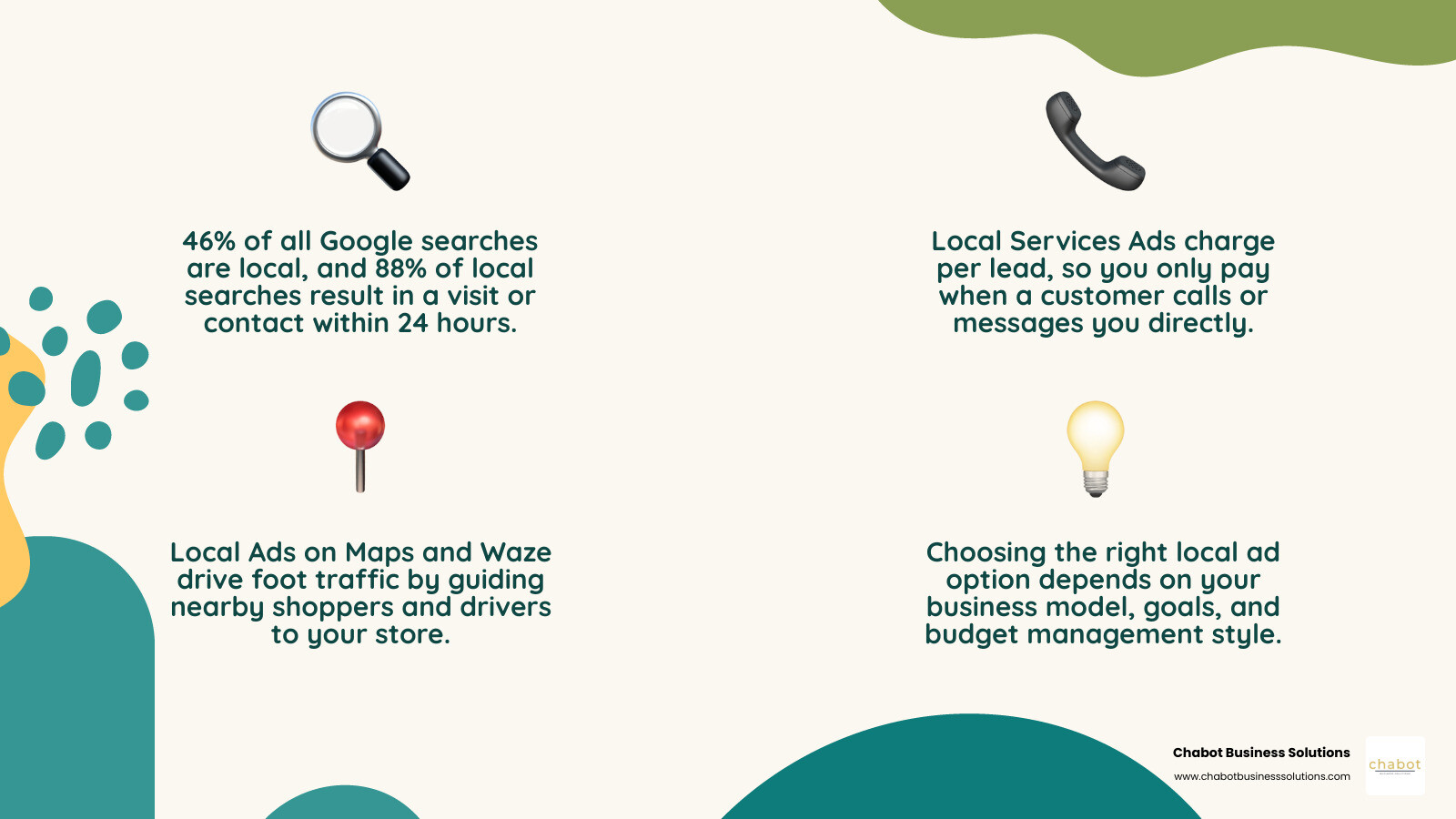
When you dip your toes into local advertising on Google, it is easy to get overwhelmed by the terminology. Google offers multiple ways to get your business in front of local searchers, and choosing the right one depends entirely on your business model, goals, and how you want to manage your budget.
At Chabot Business Solutions, we believe in a strategy-first approach. Before you spend a single dollar, you need to understand the core differences between the traditional Pay-Per-Click (PPC) model of Google Ads and the Pay-Per-Lead (PPL) model of Local Services Ads (LSAs). Both options offer incredible search visibility, but they target different stages of the customer journey.
To help you visualize how these two platforms compare across key business metrics, we have put together this comparison:
| Feature | Traditional Google Ads (PPC) | Local Services Ads (LSA) |
|---|---|---|
| Payment Model | Pay-Per-Click (PPC) | Pay-Per-Lead (PPL) |
| Ad Placement | Below LSAs, above or below organic results | Absolute top of the Google Search page |
| Targeting Method | Keyword bidding, match types, ad groups | Automated based on service categories & locations |
| Website Needed? | Yes, a highly optimized landing page is vital | No, leads are managed via the LSA dashboard |
| Trust Signal | Ad extensions, reviews, seller ratings | Google Verified Badge (Guaranteed/Screened) |
| Management Effort | High (requires ongoing keyword & bid optimization) | Low to Medium (focuses on lead response & reviews) |
Understanding these distinctions is the first step toward building a marketing system that works for your unique business. If you want to dive deeper into why localized marketing requires a tailored approach, read our guide on Why a Local SEO Agency Understands Your Market Best.
Traditional Google Ads: Pay-Per-Click (PPC) Model
Traditional Google Ads operate on a pay-per-click (PPC) model. This means you bid on specific keywords that local customers are searching for—such as “best commercial plumber in San Leandro” or “East Bay family dentist.” Every time a user clicks on your ad, you pay a fee, regardless of whether that click turns into a phone call, an email, or a sale.
The beauty of traditional Google Ads lies in its complete customization. You have granular control over your keyword bidding strategy, ad copy, and ad extensions (like callouts, structured snippets, and site links). However, because you are paying for clicks, sending this traffic to a generic homepage is a recipe for wasted budget. You need highly optimized, persuasive landing pages designed to convert those clicks into customers.
PPC is an incredibly robust tool for building brand awareness and capturing searchers who are still in the research and comparison phase of their buying journey. To learn more about when this model makes the most sense for your growth strategy, check out our article on When and Why a Business Should Utilize PPC Advertising.
Local Services Ads: Pay-Per-Lead (PPL) Model
If traditional Google Ads sounds like a lot of hands-on management, Local Services Ads (LSAs) might be your new best friend. Operating on a pay-per-lead (PPL) model, LSAs only charge you when a prospective customer contacts your business directly through the ad via a phone call, text message, or email. If someone simply clicks to view your profile, it does not cost you a dime.
LSAs bypass the need for keyword research and landing pages entirely. Google automatically matches your ad to relevant local searches based on the service categories and geographic service areas you select during setup. This hands-off approach makes LSAs incredibly accessible for lean local businesses that do not have a dedicated marketing team or even a fully developed website.
Because LSAs appear at the very top of the search engine results page—even above traditional PPC ads—they capture high-intent, ready-to-hire local customers. Ready to see how these ads can transform your lead generation? You can learn more directly from Google’s resource on how to Reach Local Customers with Local Service Ads.
Navigating Local Services Ads: Eligibility, Badges, and Setup
Now that you know the difference between the two primary models, let’s explore how to get your business set up on the Local Services Ads platform. Because Google wants to protect its users and maintain a high-quality directory, the onboarding process is much more rigorous than simply entering a credit card. It requires background checks, business license verification, and general liability insurance checks.
Eligible Industries and the Google Verified Badge
Google Services Ads are currently available for over 100 service categories, spanning home services (plumbers, electricians, HVAC), business services, healthcare, learning, care, wellness, beauty, and automotive.
However, eligibility can sometimes vary by location. For example, certain categories like barber shops, hair salons, insurance agencies, and tattoo studios are only eligible for LSAs in specific states, including California. If you operate in San Leandro or the wider East Bay area, you are in luck—California businesses have access to a wide range of eligible categories.
Once you pass Google’s proprietary screening process, your ad will feature the coveted Google Verified badge (which manifests as the “Google Guaranteed” or “Google Screened” badge depending on your industry). This badge acts as a powerful trust signal, letting potential customers know that Google has vetted your business. In fact, the Google Guaranteed badge even offers a money-back guarantee to consumers (up to a lifetime limit, typically $2,000 in the US) if they are unsatisfied with the quality of your work, which dramatically builds customer confidence.
Setting Up Your Campaign and Pre-Badge Advertising
Setting up your LSA campaign involves a few straightforward steps:
- Confirm Eligibility: Enter your business type and zip code to ensure your services are supported in your California service area.
- Create Your Profile: Detail your business hours, specific services offered, and geographic boundaries.
- Submit Documentation: Upload your business licenses, proof of general liability insurance, and complete the required background checks for your field employees.
- Set Your Budget: Define your average weekly budget.
Because the background check and screening process can take anywhere from a few days to a couple of weeks, Google offers pre-badge advertising. This feature allows eligible businesses to go live and start receiving leads while still completing the final verification steps.
While pre-badge ads are an excellent way to jumpstart your leads, keep in mind that they will rank below fully verified competitors who already have their Google Verified badge. Additionally, Google often provides promotional ad credits to new sign-ups who meet minimum spend requirements within their first 60 days, giving you an extra incentive to complete your verification quickly.
If you are a developer or managing multiple client accounts, you can explore programmatic management options via the Local Services Ads | Google for Developers portal.
Driving Foot Traffic with Local Ads on Search, Maps, and Waze
For brick-and-mortar storefronts in the East Bay, getting found online is all about driving physical foot traffic. This is where Local Ads come into play. These ads are designed to reach users who are actively navigating or searching for physical locations on Google Search, Google Maps, and Waze (which is currently US-only and integrated into Performance Max for store goals).
To understand the core features of these campaigns, you can refer to Google’s official documentation on About Local Ads.
Leveraging Maps and Waze for Local Advertising Google Campaigns
When you run Local Ads, your business can appear as a promoted location with a distinctive square pin on Google Maps or a branded logo pin on Waze. These ads are highly interactive, allowing users to quickly tap to view your business hours, photos, reviews, and—most importantly—get driving directions or call your shop.
The billing structure for these ads is highly advertiser-friendly. For standard interactions on Google Search and Maps, you are billed on a standard Cost-Per-Click (CPC) basis. However, Google only charges you for a single click type per interaction. If a user clicks your headline to read your profile, then clicks “Directions,” and finally clicks “Call,” you are only billed once. Swiping through your photo carousel or clicking on media assets that don’t redirect to a landing page are completely free.
Furthermore, if you use Performance Max for store goals, branded logo pins on Maps are billed on a Cost-Per-Thousand Impressions (CPM) basis. This multi-channel approach is one of the most effective ways to capture local intent. If you want to learn how organic map optimization works alongside paid map ads, read our guide on How Local SEO Can Bring More Customers to Your Business.
Optimizing Location Assets and Store Goals
To get started with Local Ads on Search, Maps, and Waze, you must link your Google Business Profile (GBP) to your Google Ads account to enable location assets. This allows Google to automatically pull your physical address, phone number, and store hours directly into your ads.
When setting up your campaign, Google’s AI uses automated geographic targeting inferred from your linked physical business locations. This means manual radius or geographic targeting is completely unnecessary—and actually not recommended—because Google’s AI automatically optimizes your reach based on where your store is located.
You can configure your campaigns to focus on store goals, such as driving store visits or store sales. You cannot select both store visits and store sales simultaneously as conversion goals in a single campaign, so you will need to choose the metric that best aligns with your primary business objective. For a detailed walkthrough of this process, see Google’s guide on Step 1: Create a campaign and choose a goal.
The 2026-2027 Migration: Local Services Ads Moving to Performance Max
The landscape of local advertising on Google is undergoing a major evolution. Google is officially migrating Local Services Ads into the main Google Ads interface through specialized Performance Max campaigns. This transition begins with a limited group of U.S. advertisers (focusing on categories like home services, wellness, pet care, and education) and will gradually roll out to all accounts through 2027.
Key Changes in Budgeting and Bidding
This migration introduces several important changes to how you manage your local ad spend:
- Daily Budgets: Instead of setting an average weekly budget (as you do in the legacy LSA dashboard), you will transition to managing an average daily budget in the Google Ads interface.
- Campaign-Level Target CPA: Bidding will shift from vertical-level Target Cost-Per-Acquisition (CPA) to campaign-level Target CPA. If your business offers multiple services with vastly different lead values (for example, a contractor offering both minor drain cleaning and major sewer line replacements), you may need to split your services into separate campaigns to maintain bidding control.
- Retained Billing Model: Thankfully, the core benefit of LSAs remains intact—even within the Performance Max framework, you will still only pay per valid lead (calls, messages, and bookings) rather than per click.
Preparing Your Business for the Migration
As we navigate this transition, there are a few critical steps you should take to protect your data and minimize disruption:
- Download Historical Reports: Your historical performance reports from the old LSA dashboard will not transfer to the new Google Ads interface. You must manually download your historical lead and call data before your account is migrated, or you will lose access to it forever.
- Review Profile Syncs: Because your Google Business Profile will sync automatically with your migrated campaigns, ensure your business name, address, and hours are 100% accurate. That updating your GBP can trigger a 24-to-48-hour verification review, during which your ads may be temporarily paused.
- Prepare Alternative Callouts: Google is deprecating Better Business Bureau (BBB) callouts in the new system. We recommend preparing at least six alternative callouts highlighting your unique selling points (e.g., “Family-Owned,” “24/7 Emergency Service,” “Serving the East Bay since 2005”) to keep your ads highly competitive.
- Allow for a Stabilization Period: Once your campaign is migrated, expect a stabilization period of up to two weeks. Avoid making major bid or budget changes during this time while Google’s algorithms adjust to the new setup.
Creating a Comprehensive Net: Combining Search and Local Services Ads
If you want to truly dominate the local market in San Leandro and the surrounding East Bay, the secret lies in running both traditional Google Ads and Local Services Ads simultaneously. By combining these two channels, you create a “comprehensive net” that captures searchers at every single stage of the marketing funnel.
When a local homeowner searches for a service, they will see your LSA ad at the very top of the page, backed by the Google Verified badge. Right below that, they will see your traditional search ad, complete with custom promotions and landing page links. This dual-presence dramatically increases your brand authority and ensures that whether a customer wants to call you immediately (high intent) or research your services first (mid-to-low intent), your business is their only logical choice.
Tracking the performance of both channels is essential to ensure you are getting a strong return on investment. To understand which metrics you should be watching, read our breakdown of the SEO PPC Success KPIs Local Businesses Should Track.
Best Practices for Budgeting and Bidding Across Platforms
Running a dual-campaign strategy requires careful budget management. To maximize your ROI, we recommend allocating the majority of your budget to Local Services Ads first, as they operate on the highly cost-effective pay-per-lead model. Once your LSA budget is fully utilized, route your remaining funds into traditional Google Ads to capture broader search terms and long-tail keywords.
Additionally, pay close attention to your response rates. In the LSA platform, failing to answer phone calls or respond to message leads quickly will actively lower your ad ranking. Treat every incoming LSA lead as a high-priority conversion, and use traditional Google Ads to nurture the leads that need a bit more education before they are ready to buy.
Maximizing Your Local Advertising Google Strategy
To take your local strategy to the next level, you can leverage first-party data across both platforms. When customers contact you through your Local Services Ads, you can request their consent to join your email list.
With this first-party data, you can build “Customer Match” remarketing audiences inside the traditional Google Ads interface. This allows you to run highly targeted follow-up campaigns, offer seasonal discounts, or promote maintenance services to people who have already hired you in the past. It is a highly efficient way to turn one-time emergency callers into lifelong clients. For more insights on building a cohesive digital presence, explore our guide on Maximizing ROI with a Professional Digital Marketing Strategy.
Frequently Asked Questions about Local Advertising on Google
What is the difference between Google Ads and Local Services Ads?
Google Ads uses a Pay-Per-Click (PPC) model where you pay every time someone clicks your ad to visit your website. Local Services Ads (LSAs) use a Pay-Per-Lead (PPL) model where you only pay when a customer contacts you directly via call, text, or email. LSAs appear at the absolute top of the search page and do not require a website, whereas traditional Google Ads require optimized landing pages.
How does the Google Verified badge work?
To earn the Google Verified badge (such as Google Guaranteed or Google Screened), businesses must pass Google’s screening process. This includes background checks for owners and field employees, license verification, and proof of general liability insurance. The badge builds immediate customer trust and, for Guaranteed businesses, offers consumer reimbursement up to a lifetime limit if the work is unsatisfactory.
What is changing with the Local Services Ads migration in 2026?
Starting in August 2026 and continuing through 2027, Google is moving LSAs into the main Google Ads interface under Performance Max campaigns. While the pay-per-lead billing model remains the same, advertisers will manage daily budgets instead of weekly budgets, bid using campaign-level Target CPAs, and need to manually download historical reports before the old LSA dashboard is retired.
Conclusion
Navigating local advertising on Google doesn’t have to be a headache. Whether you want to capture immediate emergency calls through Local Services Ads, drive foot traffic to your East Bay storefront with Google Maps, or build long-term brand awareness with traditional Google Ads, the key is having a clear, cohesive strategy.
At Chabot Business Solutions, we design focused marketing systems specifically for local business owners in San Leandro, the East Bay, and across California. Our strategy-first, clarity-driven approach takes the guesswork out of digital advertising, helping you build a sustainable stream of high-quality leads without wasting your hard-earned budget.
Ready to dominate your local market and stop throwing money at empty clicks? Let’s build a system that works for you. Partner with a Professional PPC Agency today and let us handle the technical details while you focus on running your business.