
Improve Website Redesign User Experience Before You Change the Look
A strong website redesign user experience starts with user needs, not new colors or trendy layouts. Before redesigning, audit where visitors get stuck, define the business result you need, simplify key paths such as finding a service or submitting a form, test early designs with real users, and measure results after launch.
A redesign changes the site’s structure, content, navigation, and sometimes technology. A refresh is lighter: updated branding, imagery, typography, or small page improvements. Knowing the difference helps you avoid spending redesign-level time and money on a problem that only needs a refresh – or applying a cosmetic fix to a deeper usability issue.
Your site should make it easy for a visitor to answer three questions:
- What do you offer?
- Is it right for me?
- What should I do next?
When navigation reflects internal departments instead of customer tasks, pages load slowly, forms ask for too much, or mobile visitors struggle to complete an action, a better-looking website will not solve the real problem. A user-centered redesign uses analytics, customer feedback, information architecture, accessible design, and usability testing to remove that friction while protecting the familiarity that current visitors rely on.
I am Alyx Lofton, founder of Chabot Business Solutions, with more than 20 years of experience helping business owners connect digital strategy, client growth, and practical execution. In this guide to website redesign user experience, I will show you how to make clear, evidence-based changes that support steady leads and sustainable growth.
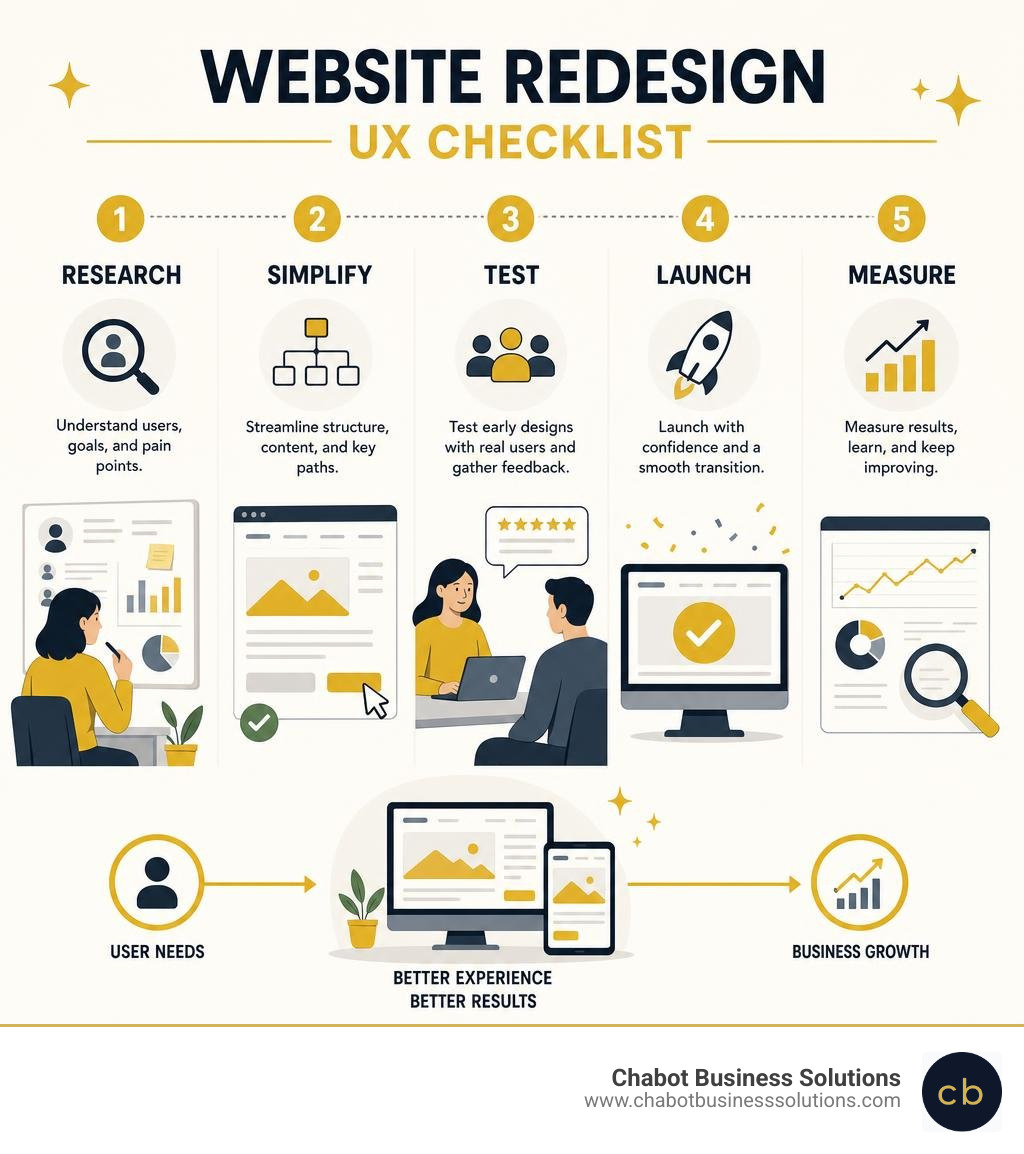
Strategic Phases to Transform Your Site Usability
Executing a successful redesign requires a structured framework that keeps user needs at the center of every architectural choice.
| Project Type | Scope & Foundation | Primary Focus | Typical Timeline |
|---|---|---|---|
| Website Refresh | Visual assets, fonts, minor UI copy tweaks | Aesthetic polish & brand modernizing | 2 to 4 Weeks |
| Website Redesign | Information architecture, workflows, site codebase | Usability, performance & conversion paths | 8 to 16 Weeks |
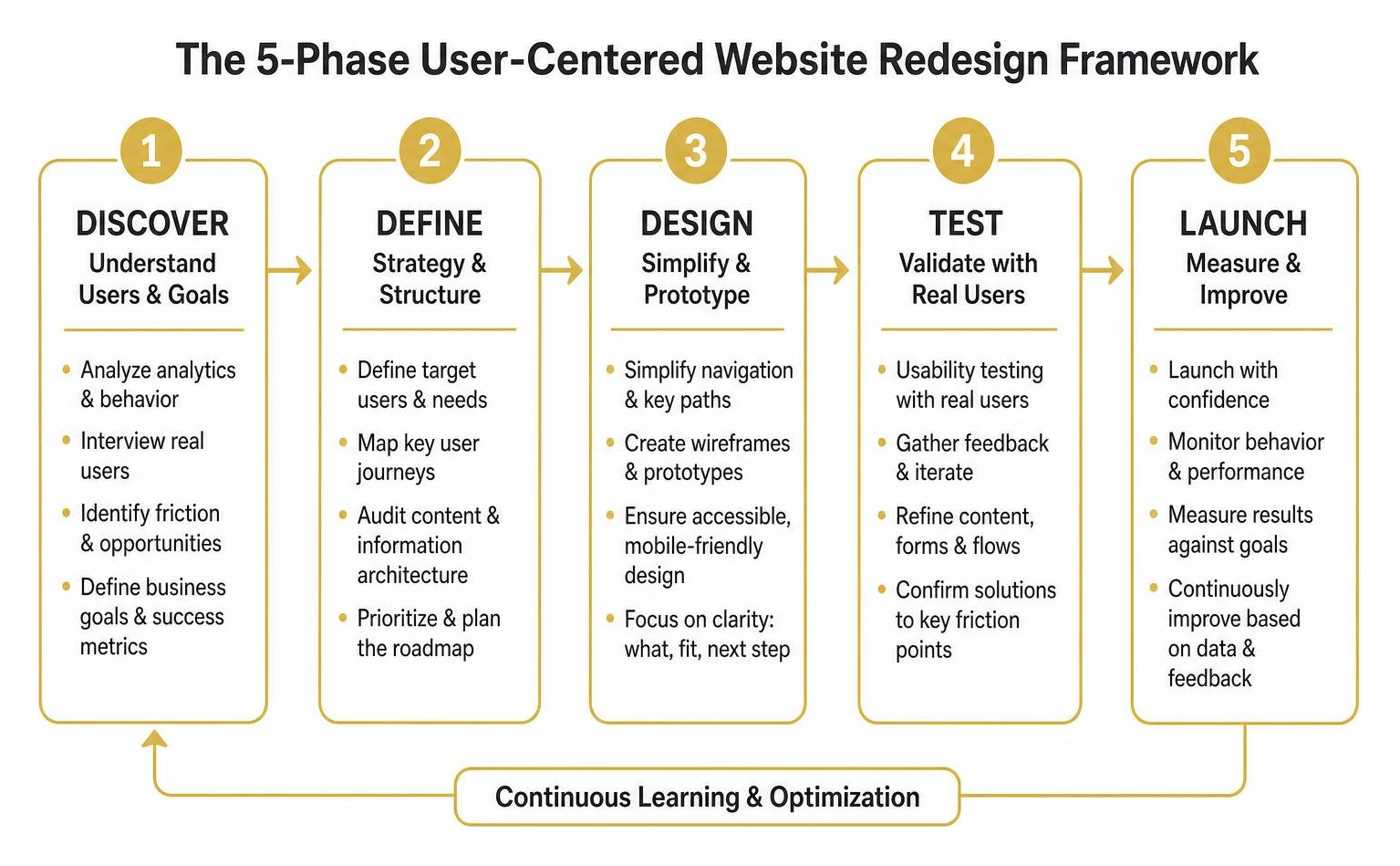
Discovery and Planning for Website Redesign User Experience
Every redesign should begin with discovery. Skipping qualitative discovery leaves your project relying on guesses. We combine quantitative analytics (drop-off rates, click maps) with direct customer interviews to pinpoint where friction occurs.
Understanding your baseline metrics helps in identifying when to refresh your site versus undertaking a structural rebuild. Research pays off: one real-world bakery redesigned its digital presence around customer journey insights, boosting online orders by 45% while lifting satisfaction to 92%. In another case, Patagonia conducted remote usability testing on interactive prototypes, securing a 3% lift in e-commerce conversions by resolving checkout friction before development.
Information Architecture and Responsive UI Wireframing
Information architecture (IA) structures your content so visitors find answers intuitively. Navigation should follow customer tasks rather than your internal organizational chart. Use open or hybrid card sorting exercises to discover how your audience naturally groups your services.
Aim for clean navigation that connects users to core information within three clicks. Master these structural priorities by mastering foundational website design basics.
Mobile optimization must happen during wireframing, not as a desktop afterthought. Since more than 60% of all web traffic originates on mobile devices, responsive layouts, large touch targets, and fast-loading assets are mandatory to meet Google’s Core Web Vitals standards.
Usability Testing and Iterative Launch Protocols
Before writing production code, build clickable prototypes to observe real users attempting basic tasks. This step uncovers hidden blockers, such as illegible text contrast or confusing labels. Testing tools and dedicated platforms like ResetUI – AI SaaS Landing Page Redesign Tool can help teams prototype and evaluate layouts rapidly.
Partnering with reliable website development services ensures your designs translate cleanly into accessible code meeting Web Content Accessibility Guidelines (WCAG).
Follow this pre-launch QA checklist:
- Validate color contrast ratios for WCAG AA compliance across text and buttons.
- Test all forms, confirmation steps, and tracking integrations on multiple mobile devices.
- Check page load speeds and optimize high-resolution imagery.
- Set up 301 redirects for modified or retired URLs to preserve search equity.
Measuring UX Success and Avoiding Common Redesign Pitfalls
Key UX Redesign Mistakes to Avoid
A redesign that ignores foundational user behavior simply produces a prettier version of an existing problem. Avoid these costly design mistakes:
- Internal Jargon Navigation: Building menus around internal corporate jargon instead of user intents confuses visitors and spikes bounce rates.
- Hero Image Carousels: Multi-slide banners consistently suffer poor interaction rates while distracting users from primary calls to action.
- Form Field Bloat: Unnecessary form fields cause immediate drop-offs. Cutting extraneous fields consistently increases form completion. For high-stakes funnels, deploy targeted landing page development to keep pathways clean.
- Ignoring Existing Visual Anchors: Drastically altering key paths can alienate returning customers. Maintain recognizable layouts for core workflows.
Core Metrics to Track Website Redesign User Experience
Evaluating a redesign requires monitoring objective behavioral metrics against your pre-launch baselines at 30, 60, and 90-day intervals.
Track task completion rates, average time on key pages, and exit percentages. Most importantly, measure the mobile-to-desktop conversion gap; an effective redesign should bring mobile conversion rates close to desktop figures. To learn more about balancing strategic research with visual updates, explore Website Redesign and User Experience: What to Get Right.
If you need an experienced partner to lead your digital transformation, consider partnering for professional website design & development with our team at Chabot Business Solutions in San Leandro.
Disclaimer: Marketing outcomes, conversion improvements, search rankings, and traffic growth vary based on industry, baseline site health, audience behavior, and execution consistency. We do not guarantee specific numerical revenue or conversion outcomes.
Ready to turn your website into a reliable engine for business growth? Book a free strategy call with Chabot Business Solutions today. We will help you audit your current digital experience and create a straightforward roadmap to achieve your goals.